Good to see you 👋
Welcome back, Davit
You have 2 meetings coming up and 5 new AI matches waiting. Let's make the most of the summit.
Get started – complete your setup
- Open
Set up your full profile
Add your role, company, LinkedIn and interests so the AI can match you well.
- Open
View your ticket
Save your digital pass & QR code for entry on event day.
- Open
Send your first meeting request
Browse your AI matches and book a 1:1 in the networking lounge.
- Open
Review your upcoming meetings
Confirm requests and check times for the two summit days.
- Open
Turn on notifications
Get alerted about new matches and meeting requests.
Your networking score
StatsTop AI matches for you
See allNino Kakabadze
Hotel Blue Sky · Sales Coordinator
Giorgi Javakhishvili
Julius Meinl · Sales Manager
Ivet Avanesyan
Travelity · Business Development
Upcoming meetings
All meetingsDavid Gesto
Nov 24 · Lounge, Table 4
Levan Leshkasheli
Nov 24 · awaiting confirmation
AI Matchmaking
Our AI refreshes match scores every 24 hours. The higher the score, the stronger the fit.
Nino Kakabadze
Hotel Blue Sky · Sales Coordinator
Giorgi Javakhishvili
Julius Meinl · Sales Manager
Ivet Avanesyan
Travelity · Business Dev.
Ani Gogishvili
eConsul · Marketing Manager
Salome Mgeladze
Professional Travel Service · Sales
Ana Tsivtsivadze
Aqua Batumi Hotel · Sales Manager
David Gesto
Wyndham Hotels · Director of Operations
Elene Paatashvili
Adjara Group · Head of Communications
Tinatin Goguadze
eConsul · Co-Founder
Jan Klavora
Goodplace · Sustainable Tourism Expert
Giancarlo De Luca
Data Appeal · Business Development
Ana Chkhaidze
Hampton by Hilton · General Manager
Levan Leshkasheli
Exely · Client Success Manager
Tomotaka Hirabayashi
EY · Partner, Strategic Impact
Nanka Chikovani
Nabi Travel · Sales Director
Mariam Kapanadze
Wyndham Hotels · Head of Sales
Keti Mikashavidze
Shindi · Design & Production
Vako Apkhazava
Shindi · CTO
Giorgi Bregadze
Tourism Institute · Strategic Consultant
Tornike Charkviani
Google Cloud · Partner Lead
Book a meeting
Pick a time that works for both of you in the networking lounge.
Nino Kakabadze
Hotel Blue Sky · Sales Coordinator
Choose a meeting time
About
Meetings
Confirm, reschedule or decline requests across the two summit days.
Day 1 · 24 November 2026
· Wyndham Hotels
Networking Lounge · Table 4
· Hampton by Hilton
Networking Lounge · Table 1
· Exely
Awaiting your confirmation
· Data Appeal
Networking Lounge · Table 7
Day 2 · 25 November 2026
· Adjara Group
Networking Lounge · Table 2
· eConsul
Awaiting guest confirmation
My Tickets
Your digital pass and order. Show the QR at the entrance.
All-Access & Afterparty
Georgian Tourism Summit 2026
Order summary
PaidWhat's included
Profile
A complete profile gives the AI better signal – and you better matches.
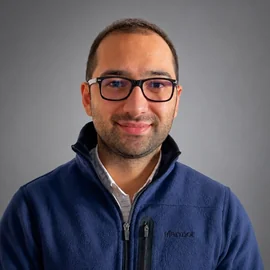
JPG or PNG, up to 2MB.
Activity
Everything you've done on the platform.
Meeting confirmed with David Gesto
Today · 14:02
Meeting request sent to Levan Leshkasheli
Today · 11:18
You updated your profile interests
Yesterday · 18:45
Meeting confirmed with Ana Chkhaidze
Yesterday · 16:30
Tornike Charkviani declined your request
Yesterday · 09:12
Ticket purchased · All-Access & Afterparty
May 28 · 10:05
Statistics
Your networking performance at the summit.
Requests breakdown
Request status
Top connectors at the summit
Natuka Kebadze
Martha Dartsimelia
Niko Kululashvili
Karen Kettsyan
Nanka Chikovani
Settings
Account, password and preferences.
Password
We'll email you a secure link to set a new password.
Please, check your email dato@shindi.ge for password reset.
Notifications
Use Email notifications
Get matches, meeting requests and updates by email.
Use SMS notifications
Receive important alerts by text message.
Use WhatsApp notifications
Get reminders and confirmations on WhatsApp.
Language
Interface language
Choose your preferred language.
Account
Signed in as dato@shindi.ge.
Support
Answers to common questions – and how to reach us.
Frequently asked questions
Need more help?
Our team is here during the test period and throughout the summit.
The platform is in test mode. Support: contact@tourister.ge · © 2026 Tourister · Developed by Shindi